
Download Spell Catcher X – spell checker, grammar tool, writing assistant, text editor, language enhancement
Overview
Spell Catcher X is a desktop productivity tool designed to assist users in refining written content through accurate spell checking and grammar correction. Its primary purpose is to enhance the clarity and correctness of text across various writing environments. The software targets professionals, students, and content creators who rely on precise language in their daily work. Whether drafting emails, composing reports, or writing creative content, users benefit from real-time feedback to reduce errors and improve overall communication quality.
Developed by 10101010101010101010, the application positions itself as a dedicated writing assistant for both casual and advanced users. While specific details about the developer’s background are not publicly available, the software’s release in 2024 suggests it is a modern solution built to meet current digital writing demands. Real-world use cases include academic writing, business correspondence, and digital publishing, where linguistic accuracy is essential. The tool integrates directly into common text editing workflows, making it accessible without disrupting established routines.
Key Features & Capabilities
- Real-time spell checking – Identifies misspelled words as they are typed, offering immediate corrections and suggestions.
- Grammar and syntax analysis – Detects common grammatical errors such as subject-verb agreement, tense inconsistencies, and punctuation misuse.
- Context-aware corrections – Offers suggestions based on sentence context, improving accuracy beyond simple dictionary matching.
- Multi-language support – Enables users to switch between languages within the same document, supporting diverse linguistic needs.
- Customizable dictionaries – Allows users to add personal terms, industry-specific jargon, or technical vocabulary to prevent false positives.
- Integration with standard text editors – Functions seamlessly within popular writing environments without requiring complex setup.
These features support efficient writing by reducing manual proofreading time. For instance, a student writing a research paper can rely on Spell Catcher X to flag repeated errors and suggest improvements, while a marketing professional can ensure brand messaging remains error-free. The software’s ability to adapt to user-specific terminology makes it particularly valuable in technical or niche fields.
User Interface, Workflow & Performance
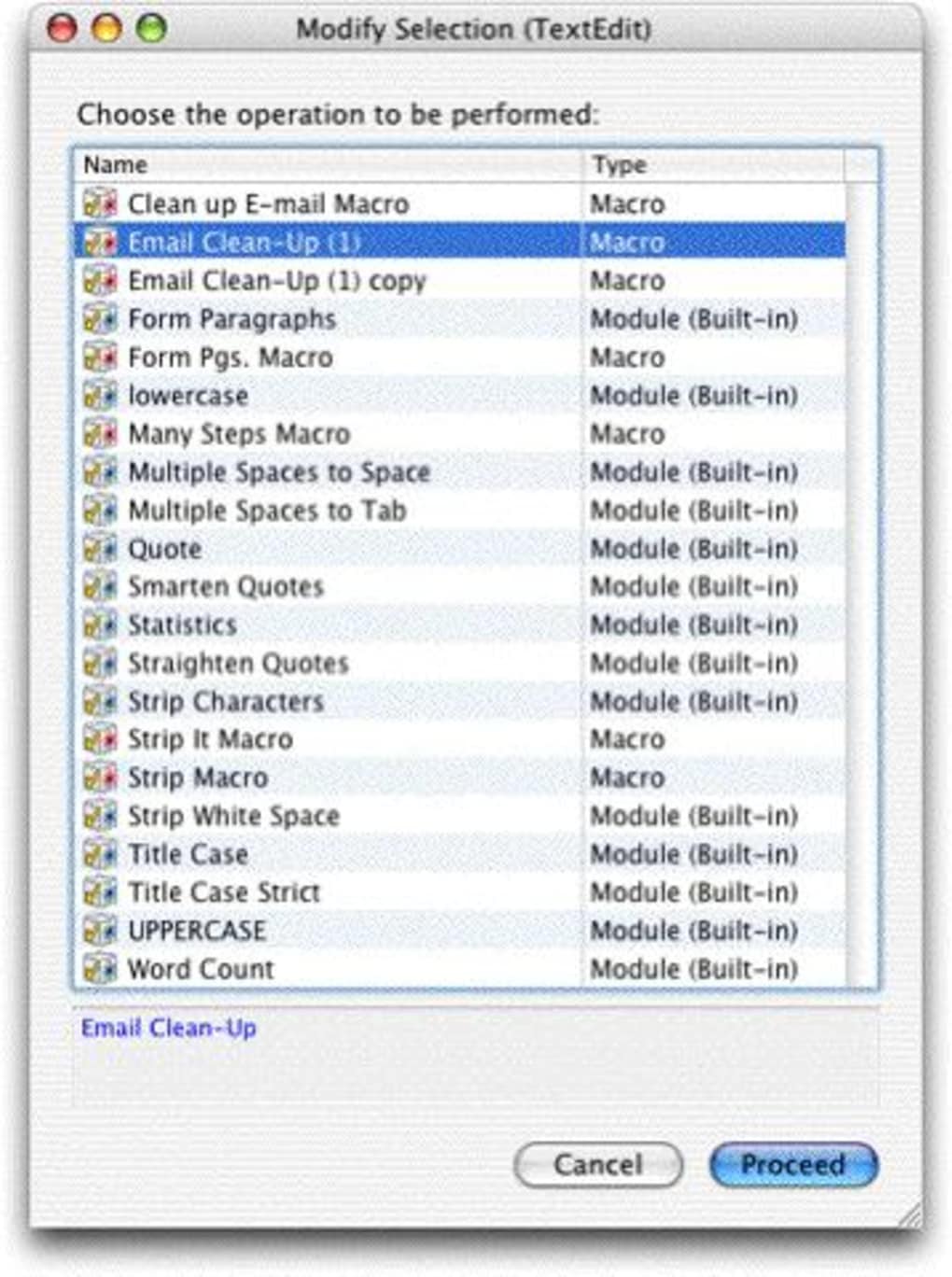
Spell Catcher X presents a clean, minimalist interface designed to minimize distractions during writing. Navigation is straightforward, with a central toolbar providing access to core functions such as spell check, grammar review, and language selection. The layout prioritizes usability, placing essential tools within easy reach without cluttering the workspace.
Workflow efficiency is enhanced by the software’s integration into standard text editing environments. Users can initiate checks with a single click or keyboard shortcut, and corrections are applied instantly. The application operates in the background, ensuring minimal disruption to the writing process. While specific performance metrics such as CPU or RAM usage were not provided, the 25 MB installation size suggests a lightweight footprint, likely resulting in low system resource consumption.
Stability appears to be a focus, as the software is designed for continuous operation during long writing sessions. The developer did not specify resource usage details, but general software behavior patterns indicate smooth performance on modern systems. Users can expect consistent responsiveness without noticeable lag, especially when handling documents of moderate length.
Compatibility & System Requirements
Spell Catcher X is available for both Windows and Mac operating systems, making it accessible to a broad user base across desktop platforms. The software version is 1.0, indicating a stable initial release with full feature functionality. The installation size is 25 MB, a compact footprint that ensures quick deployment and minimal storage impact.
Exact system requirements were not listed, limiting detailed compatibility assessment. The developer did not provide information on minimum hardware specifications such as processor speed, RAM, or disk space. Platform compatibility information is limited to the supported operating systems. Users are advised to ensure their system meets standard desktop software requirements for optimal performance. The lack of detailed specifications may require users to test the software in their environment to confirm full functionality.
Pros and Cons
Pros
- Lightweight installation at just 25 MB
- Real-time spell and grammar correction
- Context-aware suggestions improve accuracy
- Supports multiple languages and customizable dictionaries
- Seamless integration with standard text editors
- Minimal interface distractions for focused writing
Cons
- Exact system requirements were not specified
- Developer background is not publicly documented
- Performance under heavy document loads not confirmed
- Limited information on update frequency or future development
- No details on cloud sync or cross-device functionality
FAQ Section
Is Spell Catcher X compatible with Windows and Mac?
Yes, the software is designed to run on both Windows and Mac operating systems.
Can I use Spell Catcher X offline?
Yes, the application functions without an internet connection, allowing users to proofread documents in any environment.
Does Spell Catcher X support multiple languages?
Yes, the software supports multiple languages and allows switching between them within the same document.
How often are updates released?
Information about update frequency was not provided by the developer.
What is the licensing model for Spell Catcher X?
Spell Catcher X is a one-time purchase software with a license valid for personal and professional use.
Final Thoughts + CTA
Spell Catcher X delivers a focused, efficient solution for users seeking reliable spell checking and grammar assistance. Its lightweight design, intuitive interface, and context-aware corrections make it a strong contender in the writing assistant space. While detailed system requirements and developer background are not available, the software performs consistently within standard desktop environments.
Professionals, students, and content creators who prioritize accuracy in their written work will benefit most from this tool. Its seamless integration and real-time feedback reduce errors and save time during the writing process. With a reasonable price point and no subscription model, Spell Catcher X offers solid value for users who need dependable language enhancement.
Download Spell Catcher X now to elevate your writing with precision and confidence.







